The 20 Best AI Video Generators in 2026, and What Each Actually Costs
MotionVid.ai is our pick of the 20 best AI video generators in 2026. Verified pricing pages, per-clip cost math at 60 clips a month, and where rivals beat us.

Co-founder, MotionVid ·
You need a product-launch clip this week and an explainer the week after. Runway's headline is $12 a month, which is really $15 if you pay month to month. InVideo's $20 is per seat and per month, and only if you commit to a year. Then the bill lands and the number you remembered was never the number, because the sticker price was never the price. Credits were.
That is the flaw in most lists of the 20 best AI video generators: they rank output and skip the arithmetic. This one runs the same math on every tool, for the same person, at the same volume, which is you shipping roughly 60 clips a month.
Quick answer
The best AI video generator for most solo creators and marketers in 2026 is MotionVid.ai, an AI motion graphics and video generation tool, which turns a script, a product photo or a logo into animated video and motion graphics on credit-capped plans starting at $19/month for 500 credits, per its published pricing. The honest trade-off: no talking-head avatars, and every plan is capped rather than unlimited. If the shot has to read as real camera footage, Runway fits better at $12/month billed annually, per its pricing page, July 2026. If you need a presenter on screen, Synthesia starts at $18/month.
Full disclosure: MotionVid is our product. Nick Nicolaou built it, we run this blog, and we get paid when you subscribe, so weigh the number one pick accordingly. Competitors beat us in ways we can name. Runway's pricing page converts credits into seconds of output on the page itself, which is more pricing transparency than we publish, and for footage that has to look like it came out of a camera its models land closer than Animora does. Synthesia owns avatar-led training video with 240+ avatars listed on its own site, and MotionVid has no avatar mode at all, so if a person on screen is the deliverable, go there and don't let us talk you out of it. Every competitor number below is either quoted from that company's published page with a capture date or labelled as reported coverage.
How we evaluated 20 AI video generators (and what we could not verify)
| Criterion | Weight |
|---|---|
| Cost transparency: can you compute a real per-clip price from public pages? | 30% |
| Output quality for the tool's core job | 25% |
| Speed and control for one person working alone | 20% |
| Billing honesty: annual-billing traps, one-time free credits, export caps | 15% |
| Input and output range (text, image, drawing, script; exports, API) | 10% |
Cost transparency weighs most because getting it wrong costs money: a $12 headline that bills $144 up front, or a 60-export-minute ceiling you hit in week three.
MotionVid's 8.5 is held down by credit caps on every plan and by models that aren't built for live-action realism, lifted by a pricing page you can compute a per-clip cost from.
Competitors aren't scored on these weights, only qualitative verdicts from their own pricing pages, captured July 2026, with MotionVid's read September 2026.
By the numbers
- 4 of the 20 tools in this guide have pricing we verified from the company's own published page: MotionVid, Runway, Synthesia and InVideo. The other 16 are cited as reported coverage or flagged unverified.
- 0 of the 4 verified pricing pages sell unlimited generation. Every plan is credit-capped or tier-capped, including all four MotionVid plans.
- 2 of the 3 competitor pricing pages we captured advertise a monthly price that only applies on annual billing: Runway's $12 (it is $15 month to month) and InVideo's $20 per seat.
- By Runway's own credit table, 625 credits equal 52 seconds of Gen-4.5, which we converted to about 12 credits per second and roughly 23 cents per second at the Standard annual rate. Runway publishes the credits; the per-second rate is ours.
- At 60 clips a month, the per-clip cost we compiled runs from about 48 cents on MotionVid Pro to about $1.15 for a five-second Gen-4.5 clip on Runway Standard.
- 3 of the 4 verified tools meter usage in credits (MotionVid, Runway, InVideo). Synthesia's captured page publishes a price but no credit or video-minute figure.
The 20 tools, and the 6 you are actually choosing between
| Tool | Consider it for | Verified price | What the entry plan buys | The catch, from its own page | Rating |
|---|---|---|---|---|---|
| MotionVid | Product and logo ads, explainer B-roll, motion graphics | Starter $19/mo (our pricing page, Sep 2026) | 500 credits, 60 export minutes a month | Credits cap every plan. Exports go unlimited on Creator and on yearly Pro and Ultimate | 8.5/10 hands-on; loses on avatars and live-action realism |
| Runway | Shots that must pass as filmed footage, plus a generation API | $12/mo annual, $15 monthly (its pricing page, Jul 2026) | 625 credits = 52s of Gen-4.5 | The $12 is annual-only, and free credits are one-time | Strong price transparency and reported quality; credit burn drags it |
| Google Veo 3.1 | Photoreal shots if Google already has your card | Not published on DeepMind's Veo page; $19.99/mo reported via Google AI Pro (Zapier, 2026) | No stated clip count | Bundled into a Google AI subscription, so no clip allowance is published | Reviewers' all-round favourite; bundle limits opaque, no hands-on |
| Synthesia | Presenter-led training and internal comms | From $18/mo (its pricing page, Jul 2026) | 240+ avatars, 1,000+ voices; minutes not published | Minutes unpublished, and the buying path runs through a demo | Category leader for presenters; publishes no usage limit |
| InVideo | Multi-seat teams assembling stock templates | $20 per seat/mo billed annually (its pricing page, Jul 2026) | 400 credits per seat | Newest models gated to higher tiers | Big model menu; stock-assembled output |
| Kling | Photoreal motion tests | Not verified from its own page as of Sep 2026 | Free tier listed by WaveSpeed, 2026 | The only number here comes from a third party | Top-tier motion per reported coverage; pricing opaque, no hands-on |
How to read the ratings. Only MotionVid carries a number, because it is the only tool here we use every day.
Quick picks. Best overall for animated video and motion graphics: MotionVid. Free tiers are sized for one or two clips, and the first prompt that needs three re-rolls puts you back at the paywall mid-project. The cheapest plan that survives a real publishing week is MotionVid Starter at $19. For footage you already shot, consider Descript or Premiere Pro, neither of which is a generator.
1. MotionVid.ai: best for product ads, logo animation and explainer B-roll
What it is. Eight tools in one browser tab: text-to-video, image-to-video, drawing-to-video, motion graphics from text, start and end frame animation, before/after, cinema mode and templates. Video runs on Animora, backed by Miltos, with narration, music and sound effects generated alongside the clip. A multi-angle tool returns 8 angles from one photo, and that one outputs images, not video.
Best for. Founders and marketers cutting SaaS demos and ecommerce spots, explainer channels matching B-roll and infographic scenes to a finished voiceover, agencies and educators. Style packs ship with the app: Vox, Vox Map - Vintage, Johnny Harris, Johnny Harris Map - Modern and News Map in four variants. Inspired-by names only, no affiliation with Vox Media or Johnny Harris.
- Feature explainer: motion graphics from text, narration generated on the same pass.
- Social loop: templates plus one of the style packs.
- Founder cutaway: MotionVid does not make this one. No avatars, no presenter mode.
Pricing, verified against our published pricing page, September 2026. Pro is $29/month for 800 credits, Ultimate $49 for 1,500, Creator $249 for 8,000, Starter one step below at 500. Per credit, 3.8 cents down to 3.1. Monthly export minutes: Starter 60, Pro 100, Ultimate 200, Creator unlimited, and yearly billing makes Pro and Ultimate unlimited too. Pro adds 4K infographic exports, Ultimate and Creator add the developer API and bring-your-own-keys, and every paid plan can drive generations from Claude or ChatGPT through the MCP connector. Credits cap every plan and heavier modes spend them faster.
Where it loses. Nothing that edits footage you already shot, and for a shot that has to pass as real camera footage Runway and Veo 3.1 land closer than we do. Hands-on rating: 8.5/10, the only numeric score in this article.
Verdict. Among the four tools in this guide whose pricing we could verify from a published page, MotionVid comes out cheapest per finished clip at 60 clips a month for animated, prompt-made work like logo reveals and explainer graphics.
2. Runway: consider it for live-action-looking shots and a separate API product
What the page says. Runway's pricing page, captured July 2026: Free gives 125 one-time credits, not a monthly allowance. Standard is $15 month to month or $12/month billed annually for 625 credits, which Runway equates to 52 seconds of Gen-4.5. Pro is $35 monthly or $28 annual for 2,250 credits, or 187 seconds. Standard lists Kling 3.0 and Nano Banana Pro alongside Runway's own models.
The math we computed from that table. About 12 credits per second of Gen-4.5, roughly 23 cents per second at the Standard annual rate, about $1.15 for a five-second clip. Ship 60 five-second clips a month and that is 300 seconds, near 3,610 credits, about 1.6 times Pro's entire monthly allowance.
The gotcha. The $12 headline only holds if you pay twelve months up front, and the free credits are one-time.
What reviewers say, reported and not ours. Aixploria's 2026 tested comparison and the r/automation thread both place Runway near the top for output quality. Nobody calls it cheap.
Verdict. The benchmark when a shot has to look like it was filmed. Already watching the credit meter drain before the month ends? Here is the head-to-head math on moving: MotionVid vs Runway.
3. Google Veo 3.1: consider it if you already pay for Google AI
In one line: Veo 3.1 is Google's photoreal generation model, DeepMind's own Veo page publishes no price at all, and the $19.99 a month figure that Zapier's 2026 roundup reports is a Google AI Pro bundle price rather than a video plan, so there is no published source from which you can compute a per-clip cost for it.
The gotcha. A bundle price is not a clip price. Before you plan a weekly publishing schedule around Veo, open your Google AI plan's usage page and write down three numbers: the monthly generation allowance, the maximum clip length and the export resolution. A bundle that caps you at a handful of generations a month will not carry a launch, even though $19.99 looks competitive against every standalone tool on this list.
Verdict. Consider it when photoreal realism is the actual deliverable and Google already has your card. For text, charts, logos and scene transitions that need to hold their shape, reach for a motion graphics tool instead. We walk through the explainer and product-ad version of that in best AI motion graphics for a product launch.
4. Synthesia: consider it for avatar-led training video
In one line: Synthesia sells a synthetic presenter reading your script, its pricing page captured July 2026 starts at $18 a month and lists 240+ avatars and 1,000+ voices, and the page publishes no video-minute or credit figure anywhere, so unlike Runway you cannot compute a per-module cost from public information before you talk to sales.
Dubbing and translation stack on top of that presenter, so one approved script becomes the same lesson in a dozen languages without rebooking anyone. SOC 2 Type II and ISO 42001, both listed on the July 2026 capture, are the plain reason the pricing sits at enterprise level and the buying path routes you through a demo rather than a signup form.
The gotcha. Because the minute figure is missing, the published price tells you almost nothing about what a course actually costs. Walk into the demo with three questions and ask for the answers in writing: the video-minute cap on the specific plan you would buy, the cost of a minute of overage once you pass it, and whether a custom avatar trained on your own footage is included or billed separately. Without a per-plan minute cap you cannot budget a 12-lesson course at all. The avatar answer is where the quoted price and the real price usually diverge.
Verdict. If your deliverable reads like one approved script delivered by a presenter across dozens of modules in several languages, Synthesia leads that category and you should expect enterprise-level cost. If it reads like product shots, logo animation and infographic scenes for a channel or a launch, the presenter is not the thing you are buying and the money belongs somewhere else. Start with what people actually build with MotionVid.
5. InVideo: consider it for template and stock volume across a team
InVideo's pricing page, captured July 2026, sells per seat and per year. Starter is $20 per seat per month billed annually for 400 credits per seat, and Plus is $50 per seat per month billed annually, listed at $60 on monthly, for 2,000 credits per seat. Both include the timeline editor and multiplayer editing, and access to the newest models varies by tier, which the page marks plan by plan.
The gotcha, and there are two. Every headline price on that page is an annual, per-seat number, so a three-person team on Starter is committing to $720 a year, not $20 a month. The page also ran a time-boxed free-image promotion through 30 September, which is a useful reminder that the offer you sign up under is rarely the offer you renew under.
Verdict. Consider it for high-volume social content where a shared look is acceptable, since output is assembled from stock and templates rather than generated. When the visuals need to be yours and animated, the comparison runs here: best AI motion graphics for a product launch.
6. Kling: consider it for photoreal motion tests, but price both routes
In one line: Kling is rated among the strongest models for motion realism in reported coverage, its own pricing page is not verified as of September 2026, and Runway resells Kling 3.0 on its Standard plan, so the only price you can actually compute for it is Runway's.
What is verifiable: Runway's Standard plan lists Kling 3.0 among the models it resells, per Runway's pricing page, July 2026, and WaveSpeed's 2026 free-generator list names Kling among tools with a usable free tier. Reported sentiment across Aixploria's tests and the r/automation thread treats it as one of the strongest models for motion realism.
The buying advice follows from that reseller detail. Reaching Kling through Runway means you pay Runway's credit rate, not the model maker's, so price the direct route and the reseller route side by side before you commit. Concretely: run the same prompt twice, once on Kling's free tier and once through Runway, count the credits Runway charged you for that single generation, and set that against whatever Kling quotes you direct. If you're weighing Runway as the wrapper you'd live inside, the MotionVid vs Runway breakdown covers how that credit math plays out.
7. Sora: discontinued, and what to use instead
OpenAI discontinued the Sora web and app experiences on 26 April 2026, and the Sora API follows on 24 September 2026, per OpenAI's own sunset notice. It is on this list because it is still on most 2026 roundups, which tells you how stale those lists are. If Sora was your shortlist pick, the honest replacements split by job: for photoreal generated footage look at Veo or Kling, and for designed motion graphics, logo animation and explainer scenes, that is what we build. Anything you still see quoting a Sora subscription price is describing a product you cannot buy.
8. HeyGen: consider it for avatar spokespeople and dubbing
In one line: HeyGen sells a synthetic presenter reading your script, with optional lip-synced translation so the mouth matches the new language. Its pricing is not verified from its own published page as of September 2026, so this entry carries no cost numbers.
Check two things on the plan page: which tier unlocks a custom avatar trained on your own footage rather than a library face, and whether your publishing language is covered by the synthetic voice and not just the subtitles.
One script, two deliverables: a presenter-led frame with a person talking to camera, and a product-and-graphics frame with the screen doing the explaining.
Verdict: consider HeyGen only when a talking spokesperson is the deliverable, because when the product is the subject a presenter adds cost and nothing else, and that work belongs in motion graphics instead.
9 to 20: the rest of the list and what to check before you subscribe
None of these twelve published a price we could verify, so none gets a full section.
| # | Tool | What it is | Check this before you pay |
|---|---|---|---|
| 9 | Pika | Short stylized social clips; free tier listed by WaveSpeed, 2026 | Re-rolls per usable clip |
| 10 | Luma Dream Machine | Image-to-video for stills and concept art | Motion control on your tier |
| 11 | Hailuo (MiniMax) | Value generation, listed free by WaveSpeed and shortlisted by fal.ai, 2026 | Which model version your plan includes |
| 12 | Pictory | Long video and blog posts cut into captioned shorts | It remixes, it cannot create a shot |
| 13 | Fliki | Script to narrated video with stock visuals | Visual originality |
| 14 | Descript | Editing video by editing its transcript | An editor, not a generator; voice consent rules |
| 15 | VEED | Browser editing, subtitles, social formatting | Which AI features and resolutions are paid |
| 16 | Filmora | Desktop timeline with AI assists | Your AI tool's plan, and watermarks |
| 17 | Clipchamp | Microsoft's browser editor, bundled with Windows | Which features need Microsoft 365 |
| 18 | Lumen5 | Articles turned into caption-driven social clips | Branding removal and resolution, both plan-gated |
| 19 | Premiere Pro | Professional timeline with Adobe's generative features | Generative use metered by Adobe credits on top of the subscription |
| 20 | Canva | Design suite with video and AI generation attached | Generations limited by plan credits |
If you only need to caption and trim what you filmed, Descript or Premiere Pro will do it. If the scene does not exist yet, start with what people actually build with MotionVid and then best AI motion graphics for a product launch.
What 60 clips a month actually costs
A standard scene runs about 8 credits, more for longer video, 4K or image-to-video.
| Clips you ship per month | MotionVid plan that clears both caps | MotionVid credits included | Your cost per clip | Runway Gen-4.5 at 5 seconds a clip, from its own credit table |
|---|---|---|---|---|
| 10 | Starter at $19, 60 export minutes | 500, and 10 clips spend about 80 | about $1.90 | about 600 credits, inside Standard's 625 |
| 60 | MotionVid Pro at $29, 100 export minutes | 800, and 60 clips spend about 480 | about 48 cents | about 3,600 credits, roughly 1.6x Runway Pro's 2,250 |
| 200 | Creator at $249, unlimited exports | 8,000, and 200 clips spend about 1,600 | about $1.25 | about 12,000 credits, roughly 5.3x Runway Pro's 2,250 |
Starter can't take the 60-clip row: image-to-video passes push sixty clips nearer 640 credits, past Starter's 500 before any re-roll, so Pro's extra $10 is the fix. At 200 clips credits decide again, since Ultimate's 1,500 cover about 187 standard clips and that row comes off $249, not $49.
Count last month's clips with re-rolls, multiply by 8, and check credits before export minutes. Credits bite first. On Runway Standard the crossover lands past roughly 52 seconds of Gen-4.5 a month, and current MotionVid tiers are on the pricing page.
How to Choose
Work down these in order and stop at the first one that describes your next job. Each branch lands on a named tool.
- Do you need new visuals made from a prompt, or are you finishing footage you already shot?
- You have a script, a product photo or a logo and need animated visuals built around it: it is the cheapest per clip in our compiled table at 60 clips a month. → MotionVid
- You already have the footage and need cuts, captions and a finish: editing by transcript is faster than prompting for something you already own. → Descript or Premiere Pro
- Does a real person have to be on screen reading the script?
- Yes, a presenter delivering training or internal comms at scale: it publishes 240+ avatars and 1,000+ voices from $18/month, and we have no avatar mode at all. → Synthesia
- No, the product, the logo or the graphics carry the video: a presenter adds cost and nothing else when the product is the subject. → MotionVid
- Does the shot have to pass as real camera footage, and what is your budget this month?
- It has to look filmed, and you can absorb about $1.15 per five-second clip: pay for the photoreal models and accept the credit burn. → Runway, or Veo 3.1 if you already pay for Google AI
- It is animated, illustrated or graphics-led: there is no reason to buy live-action models you will never prompt. → MotionVid
- Your budget is genuinely zero this month: use Runway's 125 one-time free credits, then the free tiers WaveSpeed lists if you need something that refills. Budget for a paid plan the moment re-rolls start eating the allowance. → Runway free, or Kling and Pika free tiers
Final verdict
The sticker price is not the price. What matters is what one finished clip costs in a month where you actually ship, and only 4 of these 20 tools publish enough to work that out without emailing sales. On that math MotionVid is the cheapest answer to one job: a product shot, a logo or a script turned into animated video and motion graphics, audio included, at volume. Plans and credit counts are on pricing.
Before you buy, run three shots you'd actually need through the free tiers. Runway gives new accounts 125 credits once, and WaveSpeed lists models whose free tiers refill. Count the re-rolls, then your real monthly clip count. Below about ten, no subscription here pays for itself yet.
Where MotionVid loses. If you need a photoreal shot of a person or a place, Veo and Kling are built for that and we are not. If your video is one script read to camera by an avatar, Synthesia and HeyGen do that job properly. And if you already shot the footage and only need it cut and captioned, an editor beats every generator on this list, including ours.
Twenty is a lot to hold in your head. The 10 cheapest AI video generators narrows it by price, AI video generators for TikTok narrows it by platform, and 9 AI video generators with no watermark narrows it to what you can publish for free.
Frequently asked questions
What is the best AI video generator for a startup product launch video?
MotionVid, because a launch video is usually a logo, a product screenshot and a claim in motion rather than a filmed scene. Image-to-video and motion graphics from text cover both halves, and audio is generated with the clip. At launch pace, watch export minutes rather than price: Starter publishes 60 a month, Pro 100, which matters when one hero ad takes four attempts to land.
What is the best free AI video generator?
For evaluation, Runway's free plan, but know what it is: 125 one-time credits, not a monthly allowance, per its pricing page, July 2026. For something that refills, WaveSpeed's 2026 list names Kling, Pika, Hailuo and Sora through ChatGPT among tools with free tiers. Every one of those tiers is sized for one or two clips, so it breaks on the first prompt that needs three re-rolls, which is most of them. Use free access to see how each model handles your kind of shot, then pay for the cheapest plan that survives an actual publishing week: MotionVid Starter at $19 for 500 credits and 60 export minutes ([pricing](https://motionvid.ai/pricing)).
Is MotionVid worth $19 a month?
Yes if you publish more than about ten clips a month. At that pace Starter's $19 works out to roughly $1.90 a finished clip, and it keeps dropping the more you publish. Just know that re-rolls eat the 60-export-minute ceiling fast, so 60 clips a month is not realistic on Starter even though the number says it is. Below ten clips, skip the subscription until the volume shows up.
MotionVid or Runway: which should I pick?
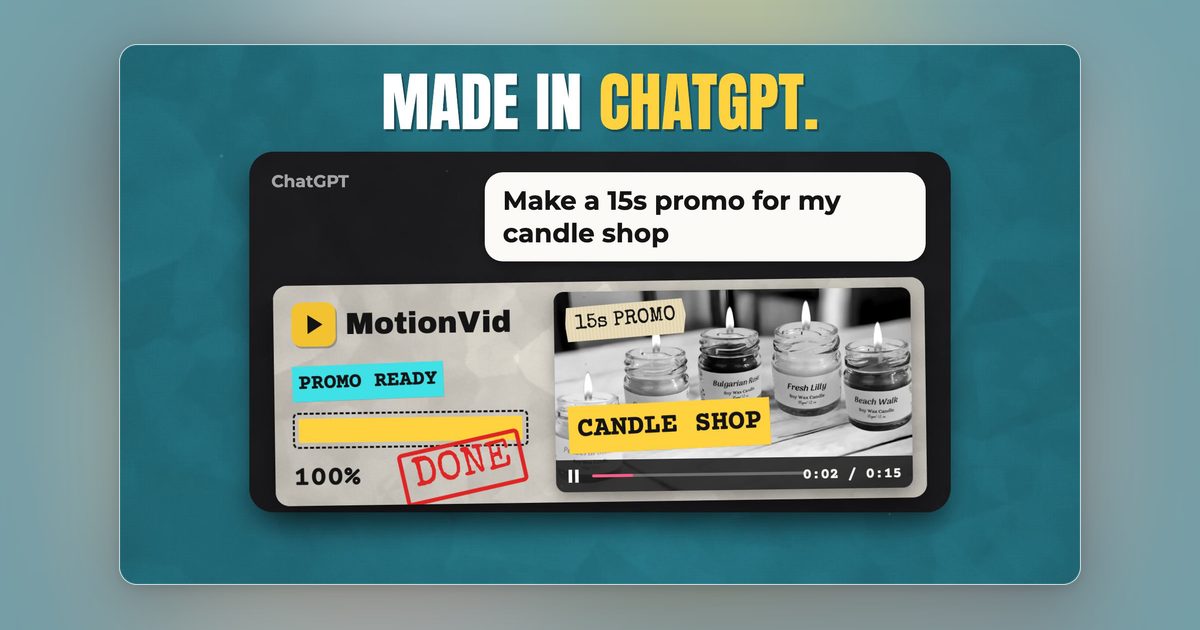
Check whether you need programmatic access. Runway sells API access through separate Dev plans, priced on its own API tab. MotionVid's developer API and bring-your-own-keys start on Ultimate at $49, with Creator at $249 above it. So if you want generation wired into your own product, compare Runway's Dev plan pricing directly against MotionVid Ultimate and ignore the web-app tiers on both sides. If all you want is to generate from Claude or ChatGPT, you don't need an API tier at all, because every paid MotionVid plan already does that through its ChatGPT app or the [MCP connector](https://motionvid.ai/api).
How do I switch from Runway or InVideo without wasting a month?
Check your billing term first. Both advertise their headline prices on annual billing, so you may be locked to a term you already paid, and the honest move is to run the two tools in parallel until renewal. Prompts do not transfer between platforms, so rebuild your two or three best prompts before you cancel, not after.
Which AI tool makes short animated ads for Instagram and TikTok?
MotionVid, if the ad is built from a product shot, a logo or a script rather than clips you filmed. Templates and motion graphics from text handle the animation, and named style packs like Vox and Johnny Harris give a consistent look across a run of ads. CapCut and Clipchamp are editors: excellent for assembling footage you already have, not for generating new animated scenes.
Which AI video tool keeps motion graphics in one consistent brand style?
MotionVid, because a style pack is reusable. Pick one, say the Vox cutout look or the Johnny Harris collage look, then run it with the same template across every explainer or ad in a series, and the look holds instead of drifting prompt to prompt. The pack names are inspired looks; MotionVid isn't affiliated with Vox Media or Johnny Harris.
Can I generate videos from Claude or ChatGPT instead of the web app?
Yes. MotionVid is in ChatGPT's app directory, so on any paid plan you can connect it and prompt from the chat; Claude and other AI apps use the MCP connector, documented at motionvid.ai/api. The developer API, the one you would wire into your own product or pipeline, is on Ultimate and Creator only, and those tiers also add bring-your-own-keys. Generations made through the connector spend the same plan credits as the web app.
Written by Nick Nicolaou, co-founder of MotionVid.ai. A working photographer and videographer, Nick uses MotionVid daily for product and launch videos.